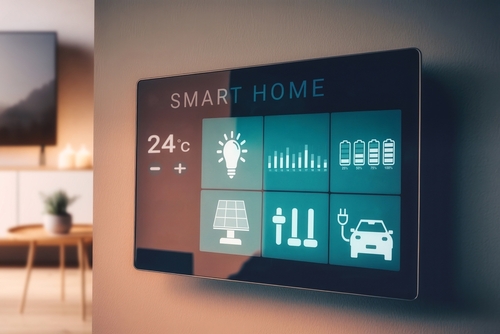
🌐 Smart Homes in Surprise AZ: Modern Living in the Heart of the West Valley
As homebuyers increasingly prioritize technology, security, and convenience, Smart Homes in Surprise AZ are gaining serious attention. Located in the rapidly growing Northwest Phoenix Valley, Surprise offers more than just affordability and family-friendly neighborhoods—it’s now a hotspot for innovative, connected homes.
Whether you're looking for voice-activated lighting, remote climate control, or full-home automation systems, Surprise has a variety of smart home options that merge comfort with cutting-edge tech.
Click Here: Browse all the Smart Homes for sale in Surprise, AZ!
🤖 What Is a Smart Home?
A smart home is equipped with devices that allow you to control various aspects of your home remotely via smartphone, tablet, or voice-activated assistant. Common features include:
-
Smart thermostats (e.g., Nest or Ecobee)
-
Smart security systems (cameras, locks, doorbells)
-
Voice-activated lighting and appliances
-
Automated blinds and irrigation systems
-
Whole-home WiFi connectivity and hubs
These features enhance security, improve energy efficiency, and streamline everyday life.
🏠 Why Buyers Are Choosing Smart Homes in Surprise AZ
Surprise is one of Arizona’s fastest-growing cities, and it’s quickly adapting to the tech-savvy preferences of modern buyers. Homebuilders and sellers alike are recognizing that smart features add value—both in lifestyle and resale potential.
Key Reasons to Buy a Smart Home in Surprise:
-
Energy Savings: Smart thermostats and lighting reduce utility bills.
-
Enhanced Security: Live video feeds and remote access give homeowners peace of mind.
-
Convenience: Control locks, lights, and temperature from anywhere.
-
Modern Aesthetic: Most smart homes are newly built or recently renovated.
Looking for tech-forward homes? Visit The Pooler Group – Smart Homes
🏘️ Where to Find Smart Homes in Surprise AZ
Several master-planned communities and custom builders in Surprise are embracing smart home technology. Here are some of the top neighborhoods offering these features:
1. Heritage at Asante
This new 55+ active adult community includes many homes built with smart home packages—think voice-activated thermostats, lighting, and locks.
2. Sterling Grove by Toll Brothers
Luxury and smart living go hand in hand here. Many homes come with pre-installed automation and smart security systems.
3. Surprise Farms
An established community seeing a surge in upgraded resale homes with added smart technology features.
4. Rancho Mercado
Known for modern floor plans and upgraded smart features by builders like Richmond American and Meritage Homes.
Explore more communities at The Pooler Group – Neighborhoods
🔑 Smart Home Features Buyers Want in 2025
The demand for smart homes is more than just a trend—it’s a shift in how people live. Today’s buyers in Surprise are looking for:
-
WiFi-enabled garage doors for Amazon deliveries
-
Remote sprinkler systems to save water and automate landscaping
-
Voice-controlled lights and shades
-
Home automation hubs that integrate Alexa, Google Home, or Apple HomeKit
-
Smart appliances (fridges, ovens, washers) that notify your phone when the job is done
Many builders offer these as standard or optional upgrades, making it easier than ever to customize your future-ready home.
💰 Are Smart Homes More Expensive?
While smart home features may increase a property's initial price, they often lead to lower long-term costs through energy efficiency and enhanced security. In Surprise, many affordable homes under $500,000 now include basic smart packages from builders like Lennar and D.R. Horton.
Find smart home listings at The Pooler Group – Buying a Home
📍 Why Surprise, AZ?
Besides smart living, Surprise offers everything a modern homeowner could want:
-
Low crime rates and safe neighborhoods
-
Top-rated schools in the Dysart Unified School District
-
New shopping centers like Prasada Marketplace
-
Family-focused parks and a top-notch aquatic center
-
Strong job growth and affordable cost of living
Learn more about the lifestyle at City of Surprise – Official Site
👨💼 Work with a Smart Realtor: Todd Pooler
Choosing a home with smart features requires a Realtor who understands both tech trends and local real estate nuances. That’s where Todd Pooler comes in.
As a veteran and local expert, Todd is dedicated to helping buyers find homes that meet their modern needs and future goals. He understands smart home features, builder upgrades, and how to match tech-savvy clients with the perfect property.
📞 Call Todd at (602) 432-3557
🌐 Visit ThePoolerGroup.com
🚀 Your Future-Ready Home Awaits
If you’re thinking about moving to Surprise AZ, now is the perfect time to invest in a smart home that combines technology, comfort, and value. With rapid development, desirable neighborhoods, and the guidance of Realtor Todd Pooler, you’re just one step away from unlocking your ideal lifestyle.
Let us help you find a smarter way to live in Surprise.


